






Key Takeaways
- Clear, concise emails free up time for higher-value work. With the average employee spending 11 hours a week on email, small improvements in how you communicate can lead to significant time savings.
- Practice proper email etiquette to keep your inbox manageable. Clear subject lines, brief bodies, and correct use of the CC/BCC fields prevent miscommunication. Setting boundaries around response times also protects your focus time.
- Consider delegating inbox management to an executive assistant. An EA who can triage emails and handle administrative tasks lets firm owners focus on billable work while maintaining formal communication.
We hope this blog finds you well.
Or as well as when a similar line landed in your inbox. Like with many business emails, you probably skimmed past it to get to the actual message. That’s time saved, and accountants don’t always have time to spare.
Research by Slack and OnePoll shows that the average employee spends almost 11 hours a week drafting emails, each taking 5.5 minutes. For accounting firms, email volumes likely spike during tax season, when client questions and document requests flood in.
If you’re a firm owner, your hourly rate makes emailing one of your business’ most expensive tasks. That’s why good email etiquette matters. Well-crafted emails mean less back-and-forth and more time for billable work.
Email Etiquette is Not Just Common Courtesy
Professional email etiquette is communicating clearly, respectfully, and efficiently through email. A single message that’s specific about deliverables moves workflows forward. In contrast, poorly worded emails create bottlenecks and, worse, more emails.
In Grammarly’s 2024 State of Business Communication, business leaders cited the following benefits of effective written communication:
Improved Brand Reputation
Successful Business Deals
Cost Reductions
Here are practical email etiquette tips to help you communicate effectively:
Ask yourself: Must this really be an email?
If your intended recipient is a colleague working the same shift in the same office, you might both benefit from talking in person or via chat. If you anticipate paragraphs for a conversation or need input from multiple people, schedule a video call instead.
Emails are great for documenting requests and decisions, but not everything should be an email.
Write clear, meaningful subject lines
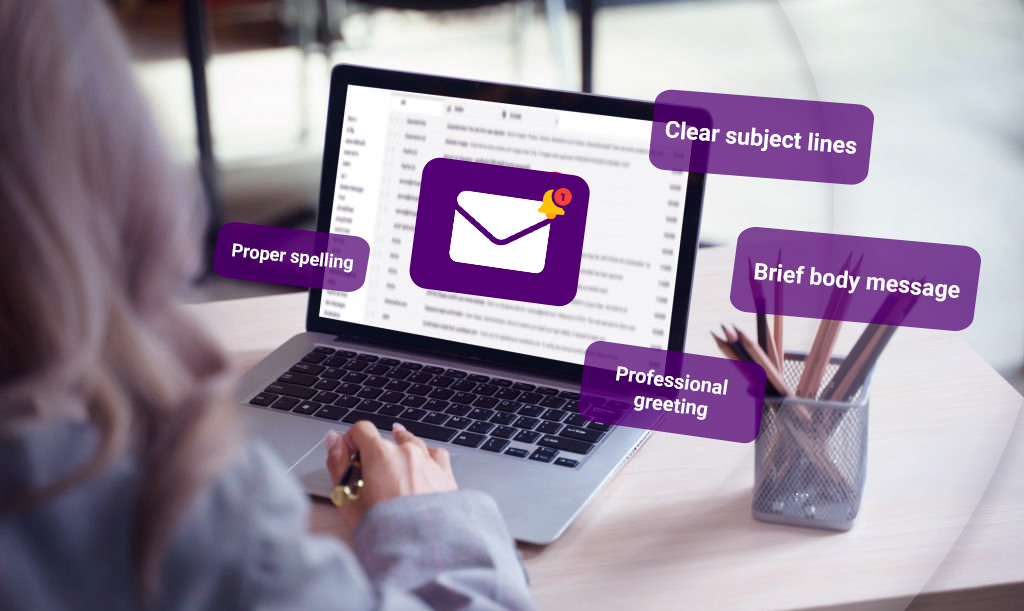
Once you’ve determined your message needs to be an email, think about its subject line. People decide whether to open or ignore emails based on this line alone, so make yours descriptive but concise.
In the Slack-commissioned study, respondents shared they deleted or didn’t read emails based on the subject line, leading to 45% of them missing a deadline or meeting.
Ensure your message is brief
Related to clear subject lines is a concise email body. If your clients or team members have to read three paragraphs to figure out what you’re asking, they’ll either skim or put it off until later. Lead with the ask, then add context if necessary.
Learn how to CC and BCC correctly
CC stands for carbon or courtesy copy; BCC is blind carbon copy. When using the former, Jodi R.R. Smith of the etiquette consulting business Mannersmith suggests that less is more. If someone won’t benefit from being in the loop or can’t add to the conversation, consider taking them off the CC field.
BCC-ing is a good way to keep recipients’ email addresses private. The usual scenario is when people are part of a big project but don’t know each other yet.
Know when to reply all
Unless everyone on an email thread needs to read what you’re about to say (i.e., you have additional data points or key project updates with new deadlines), only reply to the original sender. Otherwise, you’re just adding clutter to people’s inboxes.
Set reasonable boundaries
Responding to every email as it comes in isn’t sustainable, especially when you need uninterrupted work time. Within your team, set expectations for how often you check emails during the day or when to call your office line.
The general rule of thumb is to respond to emails within 24 hours. If you do need more time, a quick “I’ll get back to you as soon as I can” works.
Proofread every email you send
This won’t reduce email volume, but it’s worth stating: read your email before hitting send. You don’t want to misspell a client’s name or add an extra zero to a five-figure projection because you rushed through a sentence.
Also, pay attention to tone markers like exclamation points—too many makes you look unprofessional. Double-check that your sign-off matches the relationship and that your email is mobile-friendly. That means short paragraphs and clear spacing.

Why Firm Owners Partner with Executive Assistants
While client portals exist, email remains your main client communication channel. How you email shapes how clients perceive your firm’s professionalism. But you don’t need to answer every email yourself to maintain that standard, even if it feels productive.
The context switching required to manage your inbox and strategic work drains your time and mental energy. That’s why many successful firm owners work with executive assistants who can:
- Triage your inbox daily and flag only what requires your expertise
- Draft responses following your tone and templates
- Manage document collection by sending reminders and following up with clients
- Handle scheduling and coordination
- Maintain organized filing systems
- Process routine questions about deadlines, fees, and firm policies
When you’re ready to delegate, consider creating templates for recurring scenarios like new client onboarding and extension notices. Auditing your sent folder is a good place to identify prime candidates for templates.
To get a better sense of what executive assistants do for accounting firms, hear from one of ours:
Making Every Email Count
You can’t unsend an email once it’s out there, but you also don’t have to perfect every message you send. Make them count by being clear and intentional.
Whether you manage your own inbox or work with an executive assistant, practicing good email etiquette leads to more effective interactions. In an age where we’re inundated with messages from different platforms, thoughtful email practices help you maintain stronger relationships.
Work with Experienced Outsourced Executive Assistants
At TOA Global, our outsourced executive assistants bring specialized training for accounting firms. They understand the nuances of client communication and can handle administrative tasks that keep your firm running efficiently.
Ready to reclaim hours each week? Schedule a call with one of our account managers to discuss how an executive assistant can support your firm’s specific needs.